How does Global Exchange Rates integrate with QuickBooks?
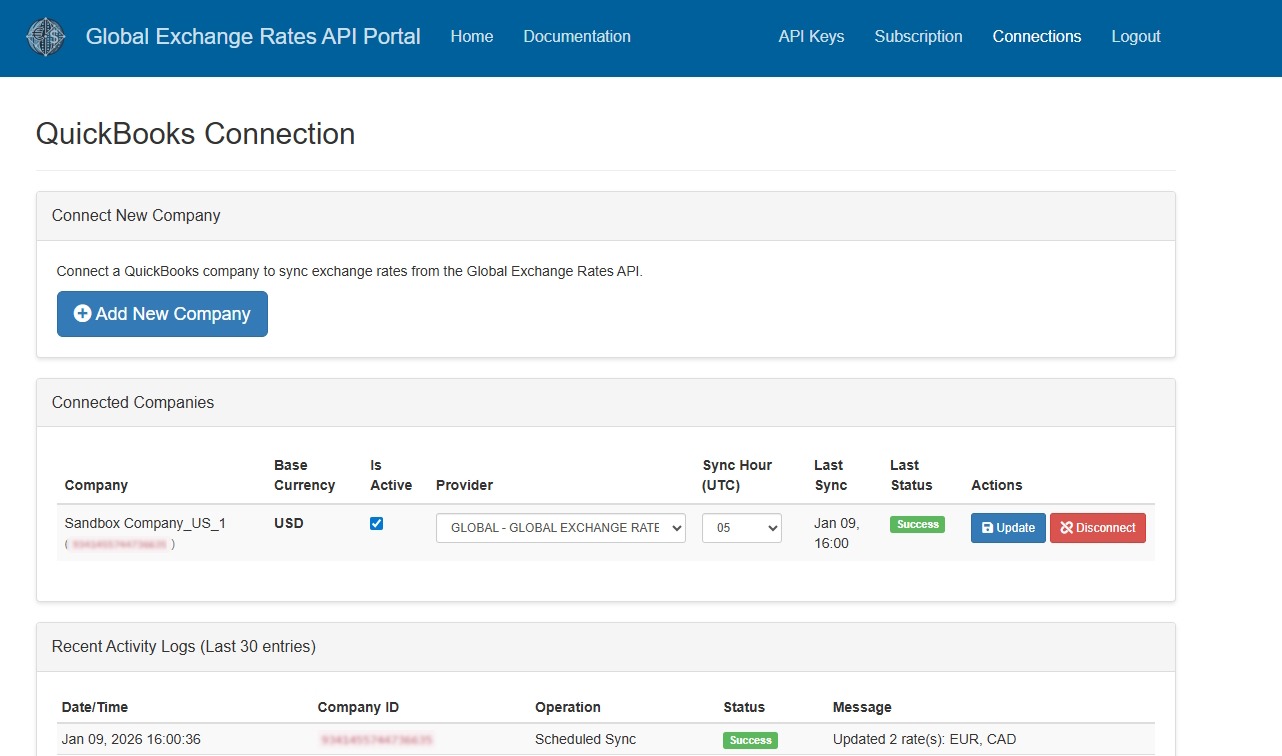
The Global Exchange Rates app connects to QuickBooks and automatically downloads the latest exchange rates of the selected provider (eg. central bank) for each connected company on a daily basis.
Multicurrency must be enabled in QuickBooks to be able to connect a company.
We only read from QuickBooks the data necessary to provide the service: the company name and the active currencies. We only write to QuickBooks the exchange rates data.
Get Started
- Open the Developer API Portal and subscribe to the Professional plan. It is possibile to activate a 30 day free trial.
- Enter in the Connections area of the portal.
- Connect all the required companies from QuickBooks.
- For each company select the central bank and the sync hour (UTC).
- The exchange rates will be automatically loaded in QuickBooks on a daily basis.