
QuickBooks updates exchange rates from market data. For VAT, customs, and statutory reporting, what often counts is the official rate published by your central bank or tax authority. This app writes the official rate into QuickBooks automatically, every day.
- Automatic download of official exchange rates.
- Free 30-day trial — no credit card required.
Why official rates?
QuickBooks Online keeps rates current using a market data feed. Market rates and official published rates differ, and when a central bank or tax authority publishes its own rate, your reports are cleaner and easier to defend when QuickBooks uses that rate. Until now, that meant typing rates in by hand — per currency, per company.
Where official rates matter (examples)
- Canada — the Bank of Canada publishes daily official rates, widely used for Canadian tax reporting. Sync them into QuickBooks automatically.
- United Kingdom — HMRC publishes monthly exchange rates commonly used for VAT and customs. Choose HMRC or the Bank of England as your source and QuickBooks stays aligned.
- Australia — the Reserve Bank of Australia publishes daily rates commonly used for Australian tax purposes.
- Gulf / UAE — the Central Bank of the UAE publishes daily official rates widely used for VAT in the Emirates.
…and many more central banks and tax authorities worldwide. See full coverage →
How it works
- Start a free trial — sign up at the Global Exchange Rates portal (30 days, no credit card).
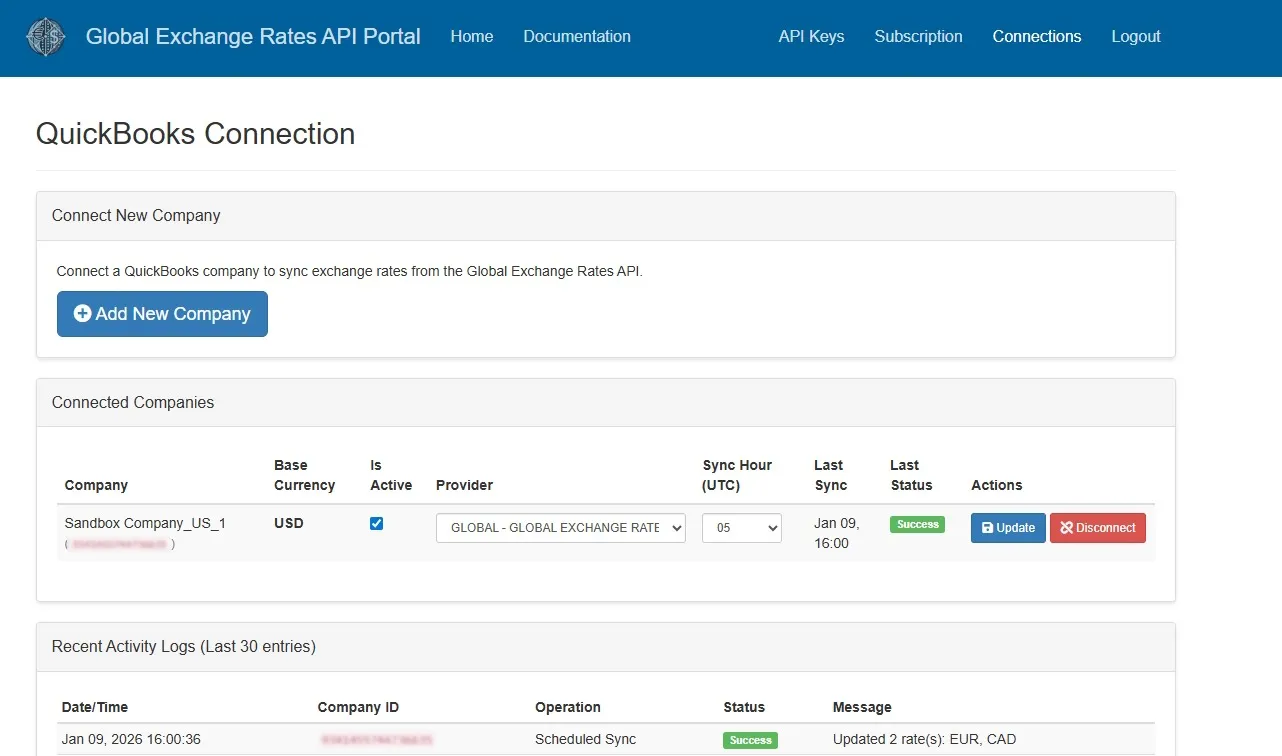
- Connect QuickBooks — one click, secure OAuth, from the Connections area. Connect as many companies as you like; one subscription covers all of them.
- Pick your source — choose the central bank or tax authority per company. From then on, the official rate lands in QuickBooks automatically every day.
Requirements: Multicurrency enabled in QuickBooks Online. We read only your company name and active currencies, and write only exchange-rate data.
Pricing
The QuickBooks app is included in the Professional and Enterprise plans — one plan covers unlimited QuickBooks companies. Start with a free 30-day trial, no credit card required. See pricing →
The app is live on the QuickBooks App Store.
Frequently asked questions
Why do I need this if QuickBooks already updates exchange rates?
QuickBooks uses market rates. For VAT, customs, and statutory reporting, many fiscal authorities expect the official rate published by a central bank or tax authority. This app puts that official rate into QuickBooks automatically, every day.
Which official sources are supported?
Central banks and tax authorities worldwide, including for examples the Bank of Canada, HMRC (UK), the Reserve Bank of Australia, the European Central Bank, and the Central Bank of the UAE, plus a daily blended GLOBAL rate. See the full list →
Do I need Multicurrency enabled?
Yes. The app writes exchange rates into QuickBooks’ Multicurrency feature, so Multicurrency must be switched on in each company you connect.
Which QuickBooks versions does it work with?
Any QuickBooks Online country version that supports Multicurrency (Essentials, Plus, Advanced).
What data does the app access?
We read only your company name and active currencies, and write only exchange-rate data. Nothing else.
What does it cost?
The app requires a Professional or Enterprise plan — with a free 30-day trial, no credit card required. One plan covers unlimited QuickBooks companies. Current pricing →
Put official rates in QuickBooks today. Connected in minutes — free 30-day trial, no credit card.